
Porting a mature desktop application to a third operating system is usually measured in months. The visible interface is only the beginning: application lifecycle, settings, process execution, menus, dialogs, licensing, packaging, updates, and dozens of small platform conventions all have to be reconsidered.
Our Linux port of RemObjects GitBrowser was different.
GitBrowser already existed as a native macOS application and a Windows application. In late July 2026, we started adding a standalone Linux version built with GTK 4. The first Linux commit, and the commit bringing the main window to functional parity landed on July 27. Clone, publish, preferences, licensing, AI-assisted change analysis, image diffs, repository management, and the remaining secondary interfaces followed on July 28. By July 30 the work was integrated into the main development branch and producing a self-contained, shippable Flatpak.
This was not because GTK somehow made desktop development trivial, nor because the Linux version was a web application wearing a desktop shell. It is a real GTK application with native menus, windows, dialogs, trees, tables, gestures, file pickers, and desktop integration.
The port moved quickly because several architectural decisions, made across Fire, Water, Earth, GitBrowser, and the Elements toolchain, happened to reinforce one another. Together they turned the job from “rewrite an application for Linux” into “add a Linux presentation and lifecycle layer to an application whose behavior was already portable.”
That distinction made almost all the difference.
The application we did not have to rewrite
GitBrowser is more than a repository viewer. It manages groups of repositories and worktrees, displays commit history and changed files, renders text and image diffs, performs staging and commit operations, supports branches and stashes, clones and publishes repositories, integrates external diff tools, and uses yours truly, CodeBot, for changeset analysis and commit-message generation.
Most of that behavior did not live in an AppKit view controller or a WPF window. It already lived in shared controllers, models, and services under modules such as:
SharedGitBrowserSharedSourceControlSharedCodeEditorSharedCoreAppSharedBaseLibrary
The macOS and Windows applications supplied their respective presentation layers, but repository state, Git operations, worktree semantics, validation, persistence, AI integration, and most commands were shared.
This meant that the Linux port did not begin with a list of Git features to reimplement. It began with a list of UI surfaces to host.
The repository tree already knew how repository groups, repositories, and worktrees behaved. The commits controller already knew how to load history and represent the working tree. The changed-files controller already knew how to stage and unstage files. The diff controller already knew which content to request. The clone and publish controllers already owned their validation and operations. Preferences already had a shared settings model.
The GTK work was therefore concentrated at the boundary:
- create widgets and windows;
- connect GTK signals to existing actions;
- translate shared rows and nodes into GTK list and tree presentations;
- synchronize shared controller state back into widgets;
- adapt lifecycle and desktop conventions;
- package the resulting application for Linux.
That is still real engineering work. The finished shared GitBrowser module contains 18 GTK-specific implementation files and 14 GTK Builder .ui resources. But those files are adapters around an existing product, not a second implementation of the product.
Fire, Water, and Earth had already drawn the boundaries
The broader Fire codebase has three desktop personalities:
- Fire is the native macOS application, using Cocoa and AppKit.
- Water is the Windows application, using WPF.
- Earth is the Linux application, using GTK, which i recently finished implementing myself. Not to brag.
The important part is not that the three applications use different UI toolkits. The important part is where they are allowed to differ.
Shared behavior belongs in Shared* modules. Toolkit-specific code remains in partial files such as:
SomeController.cs
SomeController.Cocoa.cs
SomeController.WPF.cs
SomeController.GTK.cs
The shared partial owns state, actions, validation, and feature logic. The platform partial loads the view, connects events, and performs the smallest practical amount of widget-specific synchronization.
This is not an attempt to invent one universal control abstraction that pretends NSTableView, WPF DataGrid, and GTK lists are the same widget. They are not. Trying to hide every difference would create an abstraction more complicated than any of the three toolkits.
Instead, the architecture shares the controller contract and permits each toolkit to present it naturally.
On macOS an action may be connected directly from a XIB. WPF may forward a XAML event into the same shared action. GTK connects a signal in the .GTK.cs partial. The user sees the same command and the shared controller performs the same operation, while each toolkit retains its normal lifecycle and event model.
Earth was especially valuable to the GitBrowser port because it had already solved the general GTK problems. GitBrowser could reuse Earth’s base library, code editor, project system, core application support, and source-control layers without becoming part of the Earth application.
That separation was intentional. The Linux executable references:
EarthBaseLibraryEarthCodeEditorEarthCoreAppEarthSourceControl
It does not reference EarthApp.
GitBrowser is therefore a standalone application with its own application identifier, resources, entry point, window, menus, settings, and package. Earth provided reusable Linux infrastructure, not an application shell that GitBrowser had to impersonate.
This “reuse the layers, not the app” rule kept the dependency graph clean and the product identity honest.
Elements made the shared architecture concrete
Good source organization alone would not have been enough. The Elements compiler and runtime model are what allowed the same architecture to become actual executables on three platforms.
One codebase, multiple runtime families
The shared GitBrowser code is largely written in RemObjects C# and Oxygene. Elements can compile that code for different runtime families. It uses Elements RTL rather than platform APIs, for virtually all code.
On macOS, Fire and GitBrowser use the native Toffee toolchain. Water and Earth use Echoes, the Elements .NET toolchain. The Linux GitBrowser target is a .NET 10 application using GTK through GirCore.
The significant point is that moving from native macOS to .NET on Linux did not require translating the shared application into another language. The same controller and model sources participate in each target build.
Platform conditions still exist, but they describe real boundaries instead of selecting separate applications. Runtime differences use conditions such as TOFFEE and ECHOES. Product and toolkit differences use FIRE, WATER, and EARTH.
That distinction exposed one of the most instructive bugs in the port. Some shared project selections historically treated ECHOES as synonymous with WPF. That was valid while Water was the only Echoes desktop target. It became wrong the moment Earth and GitBrowser also targeted Echoes on Linux.
The fix was not to add more exceptions. It was to model the axes correctly:
- select WPF and XAML using
WATER; - select GTK partials and Builder resources using
EARTH; - use
ECHOESonly for behavior genuinely shared by both .NET targets.
Once the project described the real architecture, the compiler became an effective guide to any remaining assumptions.
Shared project items instead of copied projects
GitBrowser’s shared sources are defined in SharedGitBrowser.projitems. The macOS, Windows, and Linux library projects import those items and select the correct toolkit files through project conditions.
A simplified version of the arrangement looks like this:
<Compile Include="GitBrowserWindowController.Shared.cs" />
<Compile Include="GitBrowserWindowController.Cocoa.cs"
         Condition="'$(SDK)' == 'macOS'" />
<Compile Include="GitBrowserWindowController.WPF.cs"
         Condition="$(ConditionalDefines.Contains('WATER'))" />
<Compile Include="GitBrowserWindowController.GTK.cs"
         Condition="$(ConditionalDefines.Contains('EARTH'))" />
The Linux shared library imports the same project items:
<Import Project="SharedGitBrowser.projitems" Label="Shared" />
It targets .NETCore10.0, declares linux-x64 and linux-arm64 runtime identifiers, and adds the Earth/GTK implementation dependencies.
There is no generated Linux copy of the shared source tree and no synchronization step between platform branches. A change to shared repository behavior is immediately a change to all three products. Same for a new feature. A platform-specific change remains visibly platform-specific.
Partial types kept toolkit code local
Partial classes were another practical enabler. The GTK implementation could add widget fields, signal handling, window construction, and persistence hooks to the existing controller type without moving shared logic or creating a parallel controller hierarchy.
For the main window, the GTK partial:
- creates the
Gtk.ApplicationWindow; - loads the declarative layout;
- retrieves named widgets;
- hosts the repository, commit, details, and diff controllers;
- connects search, refresh, branch, pull, and push signals;
- restores window and splitter state;
- installs the menu model.
The shared partial continues to own the application-level meaning of those actions.
This is a subtle but important form of reuse. The Linux port did not call into a macOS-shaped controller from the outside. It completed the same controller for another toolkit.
Elements RTL reduced runtime-specific code
The Elements RTL provided common APIs for collections, files and folders, URLs, processes, strings, dates, settings, and asynchronous work. Shared code therefore did not have to choose between Foundation APIs on macOS and System.* APIs on .NET for ordinary operations.
Platform frameworks still appear where they belong—GTK in the GTK partials, AppKit in Cocoa partials, and WPF in Water partials—but most application behavior is expressed against shared RTL and product abstractions.
That is a major reason the port remained a UI project rather than becoming a second platform-runtime project at the same time.
Building the Linux application from the outside in
We deliberately started with the product boundary rather than trying to port every dialog in isolation.
A standalone entry point
The Linux executable creates its own Gtk.Application using the identifier:
com.remobjects.gitbrowser
It initializes the GTK module, records the live application in the shared GTK host, selects GitBrowser’s resource assembly, and activates GitBrowserAppDelegate.
The application window itself is created in code because a Gtk.ApplicationWindow requires the live Gtk.Application. Its contents are declarative.
Declarative GTK Builder resources
The main hierarchy lives in GitBrowserWindow.ui. It defines the header area, toolbar controls, repository/commit/details/diff panes, empty states, status area, and named host boxes.
The controller loads it through GTK Builder and retrieves the widgets by ID:
var builder = GitBrowserGtkResources.builderForResource("GitBrowserWindow.ui");
var content = (Gtk.Box)builder.GetObject("windowContent");
var repositoryHost = (Gtk.Box)builder.GetObject("repositoryHost");
var commitsHost = (Gtk.Box)builder.GetObject("commitsHost");
Signals are connected in code. This keeps the layout declarative while acknowledging that the Elements GTK bindings do not use GtkBuilder’s automatic signal connection mechanism.
The host boxes are the bridge between static layout and dynamic shared controllers. The window defines where a feature belongs; the controller supplies the live feature view.
We followed the same pattern for clone, publish, preferences, repository information, changeset analysis, about, welcome, commit details, changed files, and standalone diff windows. This produced interfaces that remain inspectable as UI resources without forcing dynamic controller content into XML.
The first vertical slice used real data
The first usable window did not display sample repositories or fake commits. It connected the real repository manager and the real navigation tree.
This was important for two reasons.
First, it exercised the architecture immediately. Repository persistence, node selection, worktrees, commit loading, and diff selection crossed almost every shared layer.
Second, it made progress observable. A window full of placeholders can compile for weeks without proving that the application is wired correctly. A real repository tree selecting a real checkout and loading its real commit history reveals lifecycle and ownership mistakes quickly.
The sequence was:
- establish the Linux projects and entry point;
- launch the real main window;
- connect the repository tree;
- connect commit history;
- connect changed files, details, and diffs;
- wire actions and menus;
- replace remaining placeholder surfaces with their real workflows.
The commit history illustrates the leverage. The first Linux commit was recorded at 11:47 on July 27. The main-window parity commit was recorded at 13:43 that same day. This does not mean the entire main window was designed and implemented in two hours—work naturally preceded the first commit—but it does show how quickly the shared layers began producing an integrated result.
Parity meant behavior, not pixel cloning
The goal was not to make GTK pretend to be AppKit.
GitBrowser’s macOS interface was the primary behavioral reference: search commits in the toolbar, filter repositories at the bottom of the tree, place commit information below the file list, put staged/unstaged selection at the bottom of the diff, and distinguish branches from worktrees.
GTK implemented the same mental model using GTK conventions:
- a real application menubar and
Gio.Menuactions; - GTK popovers for branch and worktree menus;
- standard GTK search entries and buttons;
Gtk.Panedfor persisted split views;- GTK trees and tables backed by shared node/controller contracts;
- GTK dialogs and sheets for clone, publish, preferences, accounts, licensing, and analysis.
Some work appropriately moved back into shared components. Repository drag-to-reorder and delayed inline rename, for example, were useful as GTK BaseTreeView capabilities rather than one-off GitBrowser hacks. New branch and worktree icons were mapped semantically so Water could benefit as well. Improvements to Git process error handling and worktree state notification belonged in shared source control because the problems were not inherently Linux problems.
This is an important consequence of a third frontend: it tests whether an abstraction is genuinely shared or merely shaped like the first two implementations.
Completing the product surface
Once the main path worked, the remaining features arrived quickly because each had a shared owner.
Repository workflows
Adding an existing repository used the Linux folder picker and then handed the selected folder to the existing repository actions. Initializing a folder, cloning from GitHub, publishing a repository, remembering the last clone parent folder, filtering repositories, and managing repository groups all reused shared state and commands.
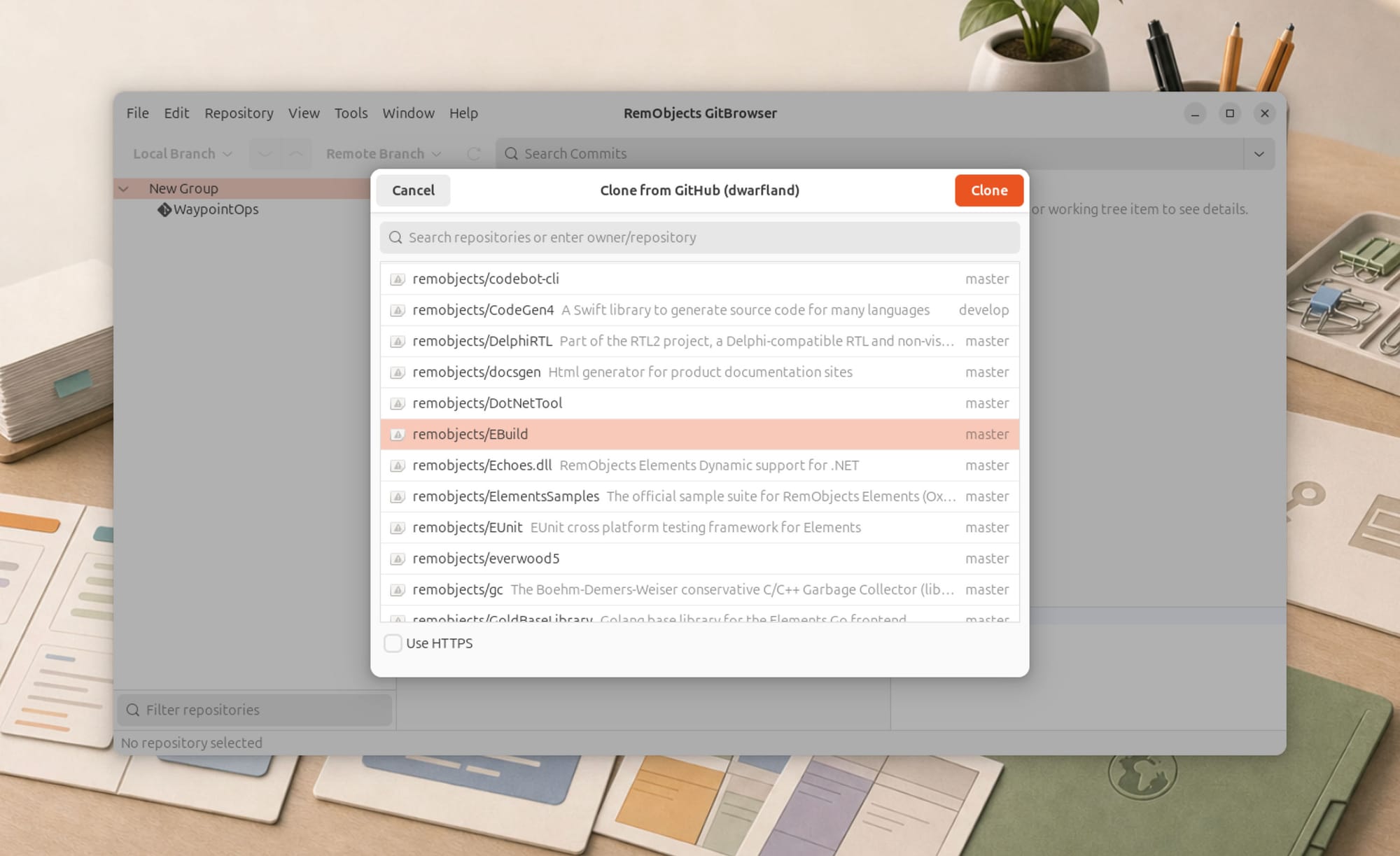
The GTK clone UI added repository discovery, HTTPS/SSH choice, destination selection, progress, and visible Git errors. The operation itself remained part of the shared Git workflow.
Branches and worktrees
Local and remote branch menus were rebuilt using GTK menu models, but their content came from shared branch/worktree state. Checkout, new branch, new worktree, pull, push, fetch, stash, reset, and folder actions forwarded into shared commands.
The UI work centered on representing state clearly: distinct branch and worktree icons, current selections, disabled states, nested actions, and consistent refresh behavior after operations.
Commits, staging, and diffs
The commits pane includes the working tree as well as history. Changed files can be staged and unstaged. Commit messages, commit actions, and AI-generated message state remain per worktree.
Text diffs reuse the shared diff model. Image diffs gained side-by-side and adjustable overlay modes. Binary changes receive an explicit non-text state rather than an empty pane.
Again, GTK supplied presentation and interaction. File lookup, staged-versus-unstaged semantics, deleted-file handling, and diff content remained shared.
Accounts, licensing, preferences, and AI
GitBrowser reused the Everwood licensing and account infrastructure already shared with the other products. GTK-specific sheets host the same account types and service metadata, including provider icons and CodeBot settings.
Preferences expose update settings where applicable, CodeBot account/model selection, Git executable configuration, and Linux-appropriate external diff choices.
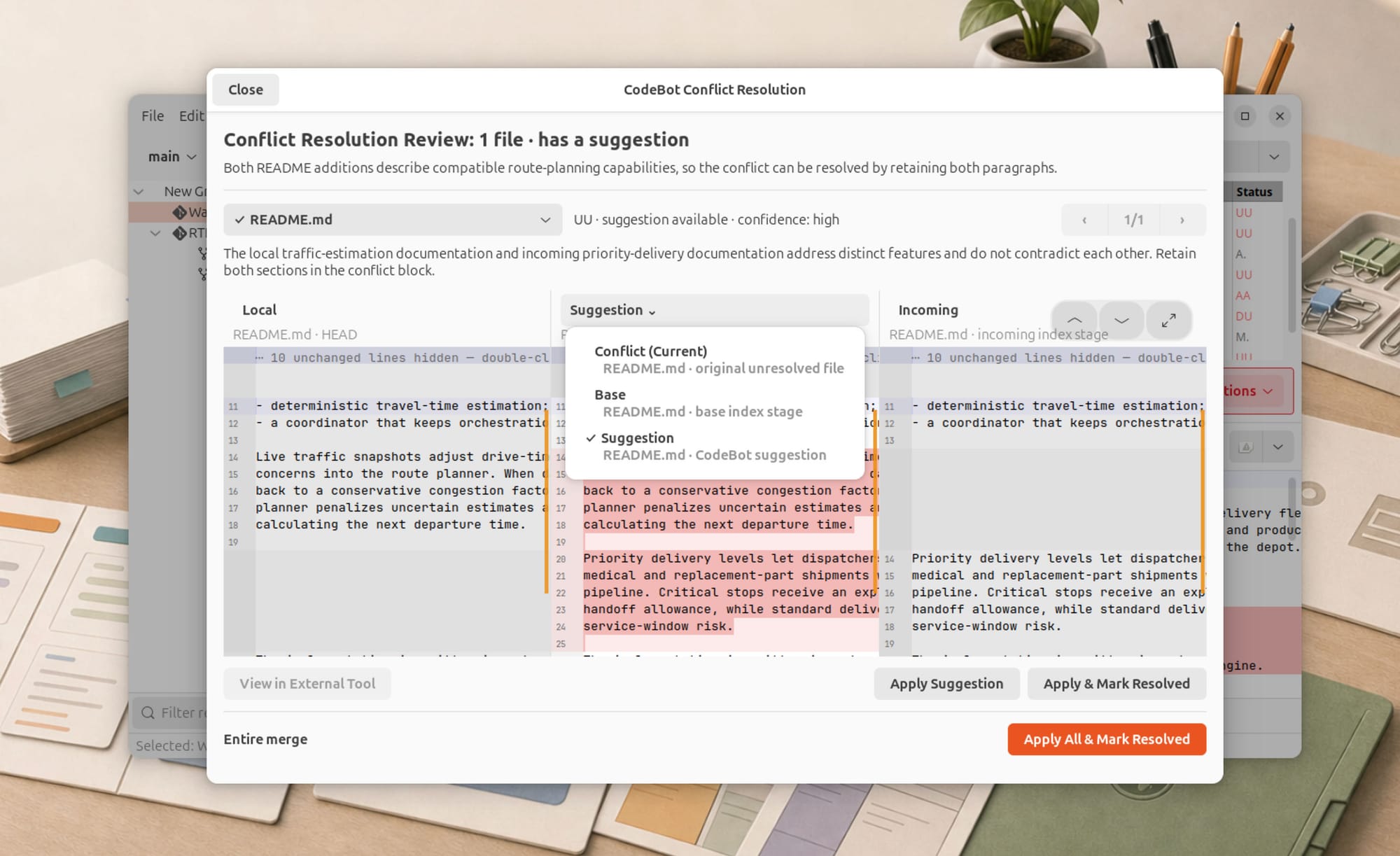
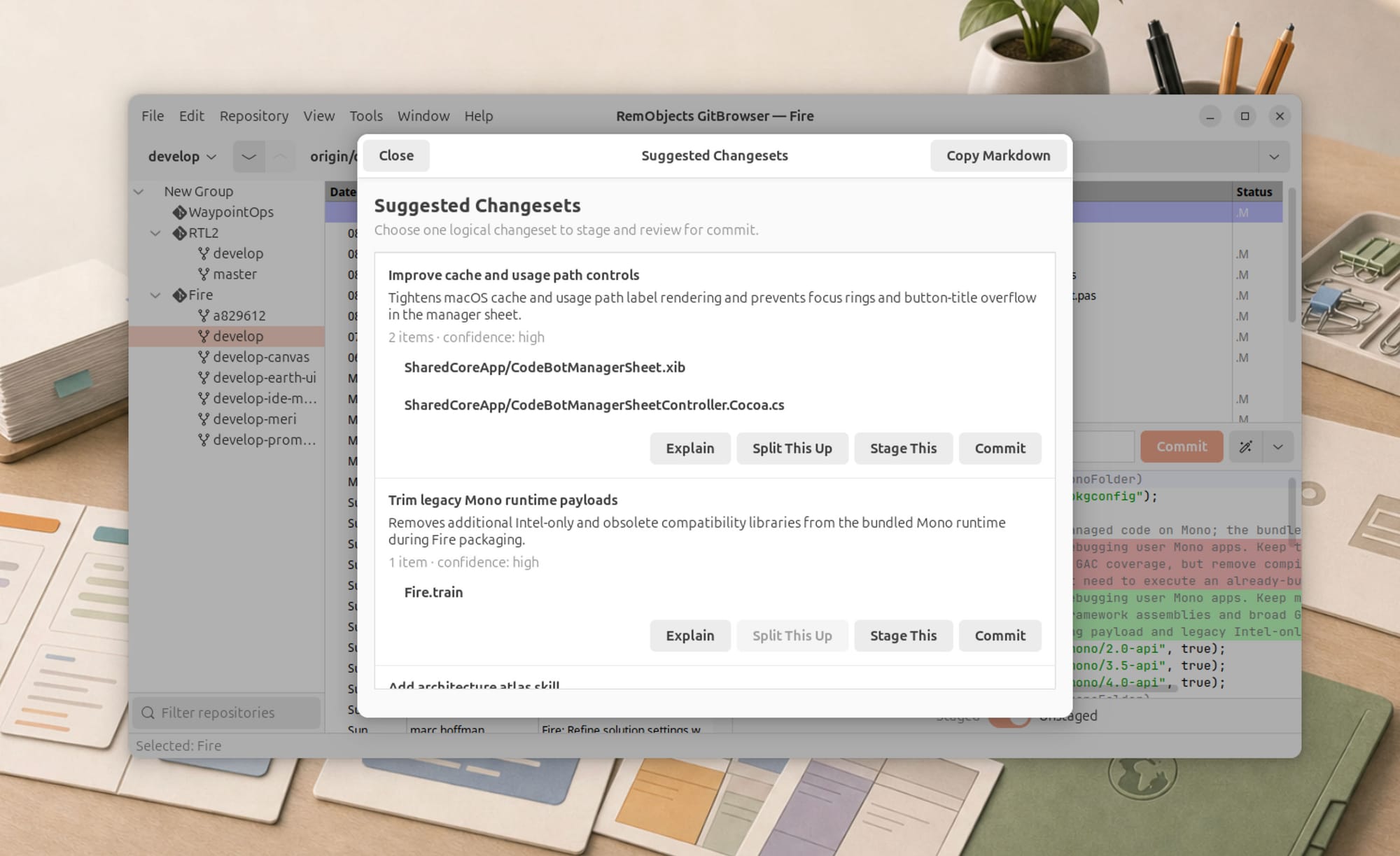
AI-assisted changeset analysis and commit-message generation use the shared CodeBot integration. GTK’s job is to expose progress, generated-state styling, actions, and results without duplicating the AI workflow.
These “secondary” surfaces often determine whether a port feels complete. A repository browser that works until the user needs to sign in, configure Git, clone a project, or understand an error is still a demo. Porting the supporting workflows was essential to calling this a product.
Packaging was part of the architecture
I treated packaging as an early slice rather than a final ceremonial step.
The Linux project builds a managed dependency closure for both linux-arm64 and linux-x64. The Flatpak then combines:
- GitBrowser and its managed assemblies;
- the corresponding .NET 10 runtime;
- GTK/GirCore dependencies supplied by the Flatpak runtime and package;
- a pinned Git build;
- desktop metadata and hicolor application icons.
Git is packaged inside the Flatpak, so GitBrowser does not depend on the host distribution having the right Git version or transport support. The Git build omits integrations the application does not require, keeping the package focused.
The build runs in Linux containers from the macOS-hosted Train pipeline because flatpak-builder itself requires Linux. Earth already established this model, and GitBrowser reused the same runtime ownership and multi-architecture packaging approach.
Flatpak also forced us to think carefully about persistent state. Sandboxed applications normally receive private XDG directories under their application ID. Licensing state and settings had to survive outside the Flatpak and remain consistent with a standalone installation, so the manifest explicitly maps the required XDG configuration and data locations.
This is a good example of why packaging cannot be postponed. The application’s identity, filesystem model, runtime closure, Git executable, icons, licensing, and update behavior all cross the package boundary.

The problems that architecture did not eliminate
Architecture created leverage, but it did not make the port automatic.
Dependency identity had to remain coherent
The Linux executable references a substantial graph: Elements compiler libraries, Earth libraries, Everwood, InternetPack, GirCore, Markdown support, SQLite, and the shared GitBrowser assembly.
Early builds could succeed while copying an older local assembly into the output. That produced runtime failures involving missing or mismatched versions of Elements, Echoes, GirCore, or related dependencies.
The solution was to make the artifact boundary explicit. Compiler components come from the coherent Bin/Compiler/Core payload, ordinary references use the compiler reference set where appropriate, locally built Earth/Everwood libraries come from their intentional build outputs, and the executable carries the complete compatible closure.
This was not GTK work, but without solving it no GTK code could reliably launch.
GTK has its own lifecycle
GTK widgets cannot be treated as WPF controls with different names. Application ownership, window creation, mapping, allocation, focus, gestures, menus, and asynchronous UI updates all have GTK-specific rules.
Several visual issues only appeared during live use: table content occasionally drawing before allocation, scrollbars snapping, selection state changing after a rename, and modal operations interfering with repainting. Those required GTK-specific fixes, even though the feature logic was shared.
Command-line tools become UI concerns
Git can prompt for SSH host verification, credentials, or other input. A GUI application that launches Git without controlling that interaction can appear to hang while Git waits invisibly on standard input.
Clone and process execution therefore needed explicit non-interactive behavior, asynchronous output handling, progress presentation, and useful error messages. Some of those improvements were made in shared process and source-control code because every GUI frontend benefits from them.
Platform conventions still matter
Linux terminology, menu placement, available external diff tools, file pickers, application icons, and update behavior differ from macOS and Windows. Parity cannot mean exposing a Windows .exe updater on Linux or offering macOS-only diff tools.
The product remains consistent by preserving intent while adapting the choice of native mechanisms.
How we validated the result
Compilation was necessary, but never treated as proof of runtime behavior.
The implementation was checked at several levels:
- Debug and Release builds of the shared Linux library and executable;
- dependency inspection to ensure the output did not pull in EarthApp, WPF, or
Microsoft.WindowsDesktop.App; - XML and widget-ID validation for all embedded GTK Builder resources;
- checks that every
.uiresource was actually included in the project; - CRLF-aware diff validation to preserve the repository’s mixed line-ending conventions;
- macOS and Windows regression builds where shared project selection changed;
- native execution on Ubuntu ARM64;
- ARM64 Flatpak installation and execution;
- interactive testing of repositories, worktrees, commits, staging, diffs, branches, menus, clone, publish, preferences, accounts, licensing, and persistence.
I had to ask marc to help out on some of these testing tasks in VMs.
This layered validation caught different classes of failure. Project selection errors appeared at compile time. Assembly skew appeared at launch. GtkBuilder and resource issues appeared while constructing windows. Focus, allocation, and process-prompt problems appeared only during interaction. Flatpak filesystem behavior appeared only in the packaged application.
No single green check could substitute for the others.
What made the port fast
Looking back, the speed came from six reinforcing decisions.
1. Share product behavior, not screenshots
GitBrowser’s repository, worktree, commit, diff, settings, and AI behavior already had platform-independent owners. GTK did not need to rediscover the product.
2. Keep toolkit seams explicit
Cocoa, WPF, and GTK are allowed to have different view files and widget code. The architecture does not spend effort pretending their APIs are identical.
3. Reuse Earth as a library stack
Earth had already paid for Linux integration. GitBrowser reused those layers while retaining a separate application identity and executable.
4. Let Elements compile the shared code into each world
Elements made shared Hydrogene and Oxygene code usable across native macOS and .NET Windows/Linux targets. Partial types, project-item imports, conditional source selection, and Elements RTL turned source-level organization into buildable products.
5. Port vertical slices with real data
The real repository tree, real commits, and real diffs arrived early. That exposed architectural mistakes sooner than completing a catalog of disconnected dialogs would have.
6. Package before declaring victory
Flatpak work began with the first Linux slice. Runtime closure, Git, icons, XDG persistence, and architecture-specific .NET runtimes were designed into the product instead of appended afterward.
To be fair, it helped a lot that Fire/Water already started out with clean abstractions, years ago.
Architecture does not remove work; it changes the kind of work
It would be misleading to say the Linux port was free.
We added thousands of lines of GTK UI and adapter code. We created a standalone entry point, 14 declarative views, 18 GTK implementation files, menus, dialogs, rendering behavior, packaging scripts, metadata, icons, and platform-specific persistence. We debugged dependency resolution, process interaction, GTK allocation, and sandbox behavior.
What the architecture removed was duplicated product logic.
We did not write another repository manager, another Git model, another worktree implementation, another diff engine, another settings system, another account system, or another AI client. We supplied the Linux-facing parts of contracts that already existed.
That is why the port could progress from its first integrated commit to a useful application so quickly. Fire and Water had established a disciplined separation between shared behavior and native presentation. Earth had established reusable GTK and Linux infrastructure. Elements allowed the shared sources to target both native and managed runtimes without translation. EBuild assembled the same source graph into a new product. Flatpak gave that product a reproducible Linux home.
None of those pieces alone would have produced the result.
Together, they made a third native desktop frontend a tractable extension of the system rather than a new system.
And that may be the most valuable outcome of the port: not merely that GitBrowser now runs on Linux, but that the architecture proved it can absorb another real desktop platform without giving up native UI, product identity, or a shared codebase.